git send-email 配置 Outlook 邮箱
git send-email
当我们想发送一个 patch 时,一般会使用 git send-email,
可以方便地把邮件发送给开发者.
How to use
如果你使用的是 Gmail, 那么随便在上网找一篇文章跟着配置即可:
git config --global sendemail.smtpencryption tls
git config --global sendemail.smtpserver smtp.gmail.com
git config --global sendemail.smtpuser your-email@gmail.com
git config --global sendemail.smtppass "your-application-specific-password"
与此同时,另外一边
借助 SMTP, 我们可以很容易通过 git send-email 直接发送邮件.
然而 Microsoft Outlook 为了安全性,使用了更现代的 OAuth2 方法
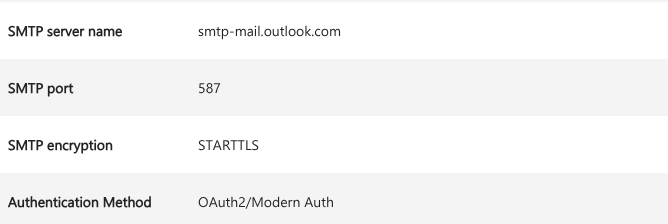
然而,git 显然不支持这样的验证方式. 所以如果没有必须使用 Outlook 的需求或者某种强迫症, 请使用 Gmail.
配置 msmtp
为了使用 Outlook 的 SMTP, 我们先使用一个支持 OAuth2 的 SMTP Client: msmtp.
修改 ~/.msmtprc:
# Default settings
defaults
auth           on
tls            on
tls_trust_file /etc/ssl/certs/ca-certificates.crt
logfile        ~/.msmtp.log

# Outlook account with OAuth2
account        outlook
host           smtp.office365.com
port           587
auth           xoauth2
from           example@outlook.com
user           example@outlook.com
passwordeval   ""

# Set default account
account default : outlook
OAuth2
作为已经吃过 Microsoft ADFS 这坨的人来说, 看见 OAuth2 还是有点莫名其妙的 ptsd :(
Authorization Grant
目前常见的 OAuth2 授权方式,一般都是 Authorization Code. 简单地说, 我们会向负责 OAuth 认证的 Endpoint 发起请求.
这个请求 (Header/Body) 中包含下列的参数:
response_type
      REQUIRED.  Value MUST be set to "code".

client_id
      REQUIRED.  The client identifier as described in Section 2.2.

redirect_uri
      OPTIONAL.  As described in Section 3.1.2.

scope
      OPTIONAL.  The scope of the access request as described by
      Section 3.3.

state
      RECOMMENDED.  An opaque value used by the client to maintain
      state between the request and callback.  The authorization
      server includes this value when redirecting the user-agent back
      to the client.  The parameter SHOULD be used for preventing
      cross-site request forgery as described in Section 10.12.
然后,我们会在这个熟悉的界面完成认证过程
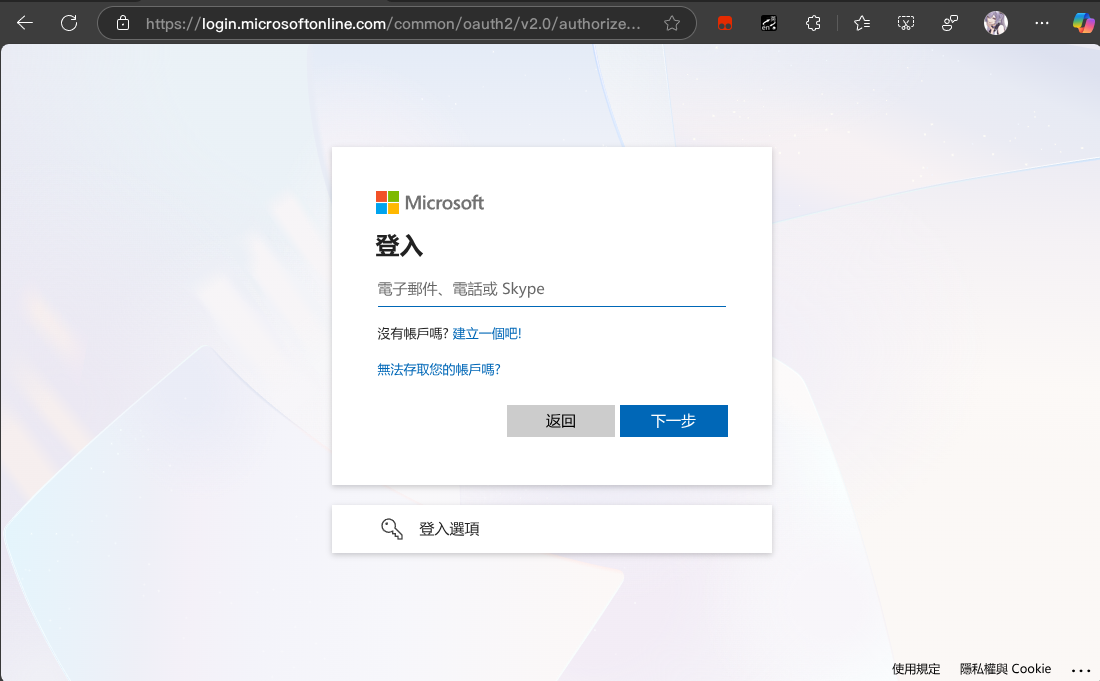
登录完成后,浏览器会被重定向到 redirect_uri,
URL 中包含一个 code, 其有效期一般为 10 分钟.
Access Token
Access tokens are credentials used to access protected resources.
有了上面的 code, 我们就可以去请求 Token endpoint,
获取访问 SMTP 所需的 Access Token 了.
grant_type
      REQUIRED.  Value MUST be set to "authorization_code".

code
      REQUIRED.  The authorization code received from the
      authorization server.

redirect_uri
      REQUIRED, if the "redirect_uri" parameter was included in the
      authorization request as described in Section 4.1.1, and their
      values MUST be identical.

client_id
      REQUIRED, if the client is not authenticating with the
      authorization server as described in Section 3.2.1.
Refresh Token
一切顺利的话,我们会得到 Access Token, 以及一个长期有效的 Refresh Token:
An example successful response:

     HTTP/1.1 200 OK
     Content-Type: application/json;charset=UTF-8
     Cache-Control: no-store
     Pragma: no-cache

     {
       "access_token":"2YotnFZFEjr1zCsicMWpAA",
       "token_type":"example",
       "expires_in":3600,
       "refresh_token":"tGzv3JOkF0XG5Qx2TlKWIA",
       "example_parameter":"example_value"
     }
使用 Refresh Token, 我们就可以长时间地维持认证状态, 并在需要时获取 Access Token 了.
grant_type
      REQUIRED.  Value MUST be set to "refresh_token".

refresh_token
      REQUIRED.  The refresh token issued to the client.

scope
      OPTIONAL.  The scope of the access request as described by
      Section 3.3.  The requested scope MUST NOT include any scope
      not originally granted by the resource owner, and if omitted is
      treated as equal to the scope originally granted by the
      resource owner.
可选地,服务器可能会返回一个新的 Refresh Token.
配置 Oauth2
听起来挺麻烦的,幸运的是我们有开源脚本: https://github.com/UvA-FNWI/M365-IMAP
在上方的 msmtp 配置中填入:
passwordeval "cd path/to/repo && python3 refresh_token.py"首次运行时,手动运行一遍 get_token.py 即可.
发送 E-mail
接下来 git 就可以专心完成他的工作了
sendemail.smtpserver=/usr/bin/msmtp
sendemail.smtpserverport=587
sendemail.smtpencryption=tls
sendemail.smtpuser=example@outlook.com